


This space has been made public and relocated to a new group under Wordpress Repo Plugins.
It's officially in the repo. Go download and give me feedback on improvement.
The plugin has been officially approved, and will be listed shortly. At this point I have to manually upload the approved version and then wait for it to propagate to the WP Repository. Once it's done, it will be available for download.
Here's the official url which is not live until said propagation is completed.
Received an update from WP for Linked Terms, had to fix two minor issues, provide a dns text record to prove ownership of this domain since the plugin links back to here, and update the readme file as I forgot to include information about the external api's used for the term discovery feature. I have resubmitted the fixes as requested.
Received another update that they don't like the name as they feel it's both to generic and anti-competitive. I have resubmitted per their requirements and have "officially" changed the plugin and slug to Linked Terms by Jeff Brigman. This should meet their requirements as many other plugins have similar naming.
I will update this post as I get more info from them.
Sorry for the delay on releasing this, but I've had a bad stomach bug past week that I'm finally getting over. However on a good/happy note, I have decided to release the full version for free. I will be submitting it to the Wordpress Repository hopefully later today to start the approval process.
The full current version includes all feature I had intended to split between a free and pro version.
FCom integration (works with both free and pro fcom versions), Term Discovery, Analytics, Import/Export.
I will have more information in regards to future updates after the current version is posted there.
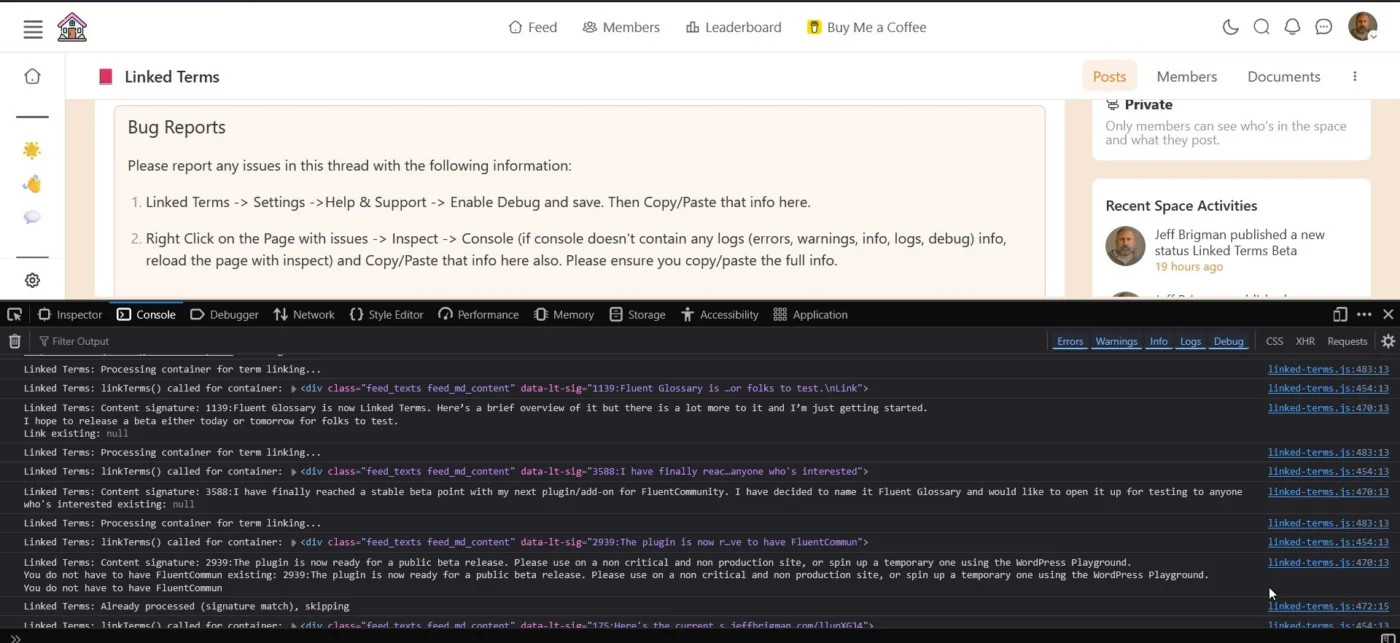
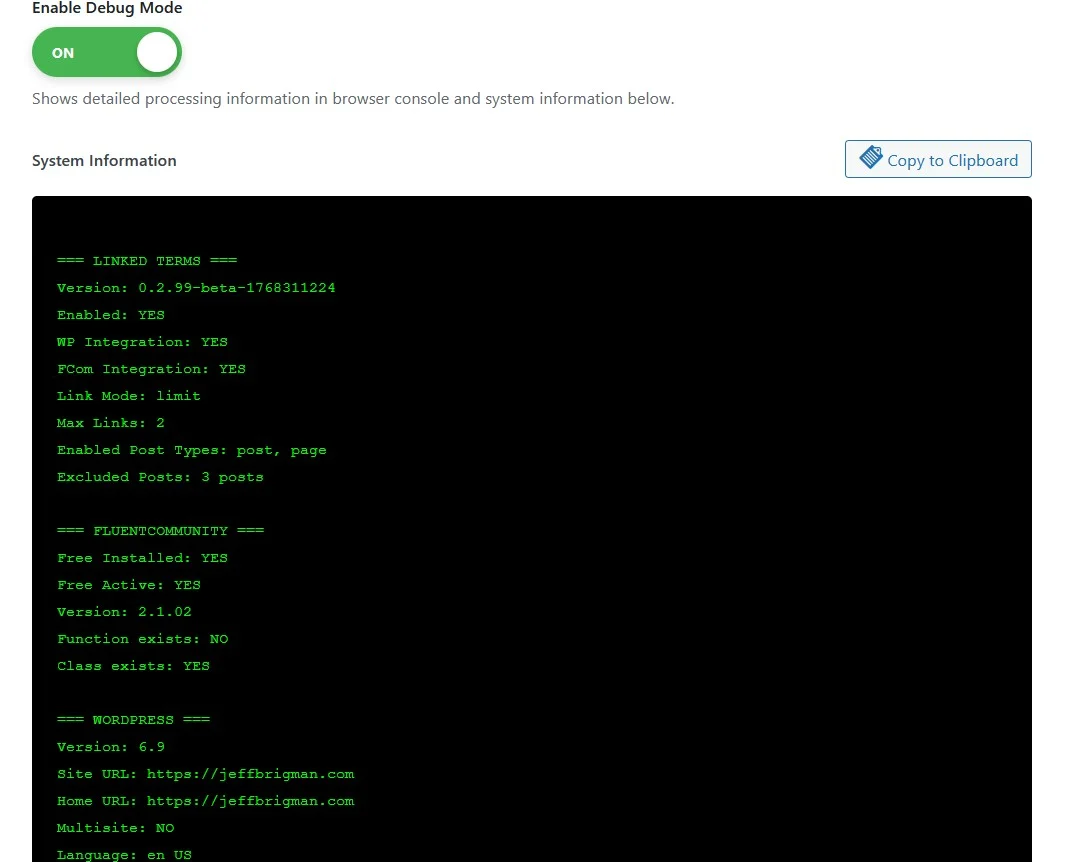
Please report any issues in this thread with the following information:
- Linked Terms -> Settings ->Help & Support -> Enable Debug and save. Then Copy/Paste that info here.
- Right Click on the Page with issues -> Inspect -> Console (if console doesn't contain any logs (errors, warnings, info, logs, debug) info, reload the page with inspect) and Copy/Paste that info here also. Please ensure you copy/paste the full info.
Known Issues
Analytics not properly tracking in respective FCom spaces/Spaces but is working correctly in main feed.FIXEDFCom Content Types not working correctly.FIXED
The plugin is now ready for a public beta release. Please use on a non critical and non production site, or spin up a temporary one using the WordPress Playground.
You do not have to have FluentCommunity to use, nor does it require the Pro version should you choose to only use the free version. This is just an overview of some of the features and honestly there's a lot more there than what I've listed below.
In the Term Discovery feature, I will be adding API's for ChatGPT, Gemini, and Claude.
Please note that features such as the FCom integration, Analytics, Term Discovery, and Import/Export are all found under the Add-On's tab and once enable and saved, you can access and/or edit the settings for each. Some such as Analytics and Import/Export are under the Linked Terms main menu on the main left admin menu.
This plugin is installed and running on this site right now.
I look forward to your feedback and suggestions.
Key Features
Core Glossary
- Automatic Term Linking - Intelligently links glossary terms throughout your content
- Smart Detection - First occurrence linking, case-insensitive matching, customizable limits
- Universal Compatibility - Works with WordPress posts/pages AND FluentCommunity spaces/feeds
- Beautiful Tooltips - Hover previews with term definitions
- A-Z Index - Auto-generated alphabetical glossary page -> see it here: Glossary Index
Term Discovery (AI-Powered)
- Multiple API Sources - Britannica Encyclopedia, Merriam-Webster Dictionary & Thesaurus, Free Dictionary, Wikipedia
- One-Click Population - Auto-fetch definitions, synonyms, antonyms, and encyclopedia summaries
- Priority Fallback - Automatically tries multiple sources until successful
- Dual API Keys - Support for 2 Britannica keys (different article types or categories)
FluentCommunity Integration
- Native Support - Seamless integration with FluentCommunity portal, spaces, and feeds
- Space Management - Enable/disable linking per space
- SPA-Compatible - Works with FluentCommunity's Vue.js single-page application
- Custom Selectors - Target specific content areas
Advanced Features
- Analytics - Track term clicks, popular terms, engagement metrics
- Import/Export - CSV backup and migration tools
- Custom Styling - Full control over colors, hover effects, and appearance
- Responsive Design - Mobile-friendly tooltips and layouts
Developer Friendly
- Clean Architecture - Class-based, modular structure
- Production Ready - Full security audit, ABSPATH checks, nonce protection
- Well Documented - Inline comments, security audit report included
- WordPress Standards - Follows all WordPress coding and security best practices
API Integrations
- Britannica Encyclopedia API (2 keys supported)
- Merriam-Webster Dictionary API
- Merriam-Webster Thesaurus API
- API Ninjas Thesaurus
- WordsAPI (RapidAPI)
- Free Dictionary API
- Wikipedia API
Perfect for: Educational sites, documentation portals, knowledge bases, community platforms, membership sites, and content-heavy WordPress installations.
Here's the current status of this plugin. I have to resolve a CSS issue with the settings page and then will release a beta for testing.
Fluent Glossary is now Linked Terms. Here’s a brief overview of it but there is a lot more to it and I’m just getting started.
I hope to release a beta either today or tomorrow for folks to test.
Linked Terms automatically links glossary terms throughout your WordPress content with customizable tooltips and a searchable index page.
Features:
- Automatic term linking throughout your content with hover tooltips
- Beautiful A-Z index page with letter navigation and term filtering
- Extensive styling controls for tooltips, cards, and navigation (colors, typography, borders)
- Smart linking limits to prevent over-linking on pages
- FluentCommunity integration for community-powered glossaries
- Light and dark mode support with independent color schemes
- Clean, SEO-friendly URLs with automatic slug management
- Responsive design that works on all devices
- Conditional asset loading for optimal performance
- Click-to-view full term definitions or disable linking entirely
Built for documentation sites, educational platforms, knowledge bases, and any WordPress site that needs professional term management without manual linking work.
I have finally reached a stable beta point with my next plugin/add-on for FluentCommunity. I have decided to name it Fluent Glossary and would like to open it up for testing to anyone who's interested. Again this is a Beta, so user beware and at you're own risk.
I would ask that testers post here with any issues/bug/feature requests and other similar comments.
Fluent Glossary is a comprehensive glossary management system designed specifically for FluentCommunity sites. Automatically link glossary terms throughout your community posts with beautiful hover tooltips, creating an enhanced learning experience for your members.
Key Features
Automatic Term Linking
- Automatically detects and links glossary terms within FluentCommunity posts
- Customizable linking behavior: link all occurrences or limit per post
- Optional term linking - display styled terms with tooltips only (no links)
- Smart word-boundary detection prevents partial word matches
Interactive Tooltips
- Hover over any linked term to see its definition instantly
- Smooth-scrolling tooltips that follow terms as you scroll
- Customizable tooltip appearance with pointer arrows
- Click-to-close functionality with styled close button
- Scrollable content for longer definitions
- Mobile-friendly responsive design
FluentCommunity Integration
- Fully compatible with FluentCommunity's Vue.js SPA architecture
- Works seamlessly with FluentCommunity's dynamic content loading
Customization Options
- Enable/disable the entire glossary system with one toggle
- Choose between linking all term occurrences or limiting per post
- Set maximum links per term per post
- Enable/disable term linking (tooltips-only mode)
- Custom color picker for non-linked terms
- Adjustable content selector for targeting specific areas
Professional Design
- Clean, modern tooltip design with dark theme
- Pointer arrows that point directly to terms
- Custom scrollbar styling for long definitions
- Smooth animations and transitions
- Accessibility-friendly interface
Performance & Caching
- Comprehensive cache exclusion support (WP Rocket, W3 Total Cache, LiteSpeed, and more)
- Server-side cache configuration helpers (CloudFlare, Nginx, managed hosting)
- Browser cache busting with automatic version management
- Optimized JavaScript with base64 encoding for data integrity
Developer-Friendly
- SPA-safe architecture with content signature detection
- Idempotent processing - safe to run multiple times
- Stability detection for dynamic content
- Clean, well-documented code structure
- Multiple render attempts for reliability
Perfect For
- Online learning communities
- Professional membership sites
- Educational platforms
- Technical documentation communities
- Training and course communities
- Any FluentCommunity site with specialized terminology
How It Works
- Create Terms: Add glossary terms using the intuitive post editor
- Add Definitions: Write definitions in the post content (supports rich text)
- Automatic Linking: Terms are automatically detected and linked in community posts
- Hover for Info: Members hover over terms to see instant tooltip definitions
- Click to Learn: Members can click linked terms to visit full glossary pages
Settings Overview
Access all settings under Fluent Glossary → Settings:
- Enable Glossary: Master on/off switch
- Link Behavior: Link all occurrences or limit per post
- Max Links Per Term: Control linking frequency
- Content Selector: Target specific content areas
- Enable Term Links: Toggle between links and tooltip-only mode
- No-Link Term Color: Customize appearance for tooltip-only terms
- Cache Configuration: Copy-paste configs for your caching setup

