

🚀 Clever Linked Terms v1.0.10 — Semantic Relationships, FluentCommunity Fixes, Better Analytics, and More
New version is out today.
This release is a big step forward for Clever Linked Terms. What started as a smarter glossary/linking plugin is now moving toward a full semantic linking system for WordPress and FluentCommunity.
The main focus in v1.0.10 is relationship-aware linking. You can now add synonyms, variations, abbreviations, and aliases to your glossary terms so different words or phrases can all point back to the correct main term. This is especially useful for communities, documentation sites, course platforms, and content-heavy websites where people may use several different names for the same idea.
Here is what is new in v1.0.10:
Semantic Relationships. Glossary terms now support synonyms, variations, abbreviations, and aliases. These relationship phrases link back to the parent term, share the same tooltip content, and help keep your content connected without needing to create duplicate glossary entries.
Relationship-Aware Analytics. Analytics now tracks more than just basic clicks and impressions. It can also record the matched text, relationship type, and canonical term, so you can see whether users are interacting with the main term, a synonym, an alias, an abbreviation, or a variation.
Better FluentCommunity Support. FluentCommunity compatibility got a major cleanup in this release. Analytics tracking now works properly inside FluentCommunity’s Vue/SPA portal, and glossary links clicked inside FluentCommunity open in a new tab so users do not lose their place in the community.
Cleaner Admin Management. The Linked Terms admin list now shows relationship counts, linking status, and conflict warnings directly in the term table. This makes it much easier to manage larger term libraries without opening every single term just to see what is going on.
Conflict Warnings. If the same synonym, alias, abbreviation, or variation is used on more than one term, Clever Linked Terms now warns you. This helps prevent confusing or competing links before they become a problem on the front end.
Improved CSV Import/Export. Relationship metadata is now included in import/export workflows, making it easier to move, back up, or bulk manage glossary data.
FluentCommunity New-Tab Links. Glossary links inside FluentCommunity now open in a new tab by default. Standard WordPress posts and pages still open normally in the same tab.
Analytics Stability Fixes. This release fixes several tracking issues, including FluentCommunity analytics loading, relationship metadata capture, and duplicate tracking risks between normal WordPress pages and the FluentCommunity portal.
This update also includes several behind-the-scenes fixes, version cleanup, readme updates, safer frontend output, and release hardening for the WordPress.org plugin directory.
Clever Linked Terms is free and available on WordPress.org.
Download/update here:
https://wordpress.org/plugins/clever-linked-terms/
User Manual (webpage):
https://jeffbrigman.com/clever-linked-terms-user-manual/

Shani Cipro this one's for you and just the start.

Jeff Brigman Exactly what I need! Thanks so much! The tooltip – is it the excerpt or the whole text?
Shani Cipro a little of both but the next version is going to use the excerpt with the option using whole text.
You’re going to be shocked and pleased when it released because I’m making several big improvements.
Would it be really cheeky to ask if we could have tags for taxonomy purposes like you would on a normal post as well? :D
Shani Cipro I can include it in the next update.
The next version will release the initial Terms Engine that ties all of it together. It will be the advanced semantic control system behind Clever Linked Terms.
Ironically I had already been working on something similar for another but different project, so being able to reuse aspects of it makes this part go quicker.
Just some extra ideas! I like how this has the synonyms at the top!
Shani Cipro I plan to add some sort of layout options for both the term pages and the glossary index. This way you can select the layout you want and then adjust the colors, etc to match your site.
I will also plan to add the share buttons as well, I like that too.
Here's a sneak peak of what's coming next.... Far from ready as I still have several things to improve/tweak and add such as the Tags. However the entire experience will be a lot better. I held off on doing to much before because of how long it took to get the plugin approved.
Jeff Brigman this looks incredible!!
Shani Cipro a few more. Syncing fetched api data to the fields now and having it check if the data source is already used, and if so to not duplicate it.
I am also working on several single term page templates, and glossary index templates. You will be able to pick the layout and then style the colors however you want.
Shani Cipro ignore the term builder screenshot where it says relationship linking four times, my screenshot app did that by accident, the actual builder does not have it four times.
Jeff Brigman this is looking incredible! I’ve got a few things that might be cool as well! Maybe in the pro version?:
- Maybe a list of blog posts, pages, community comments etc )content in general) that links to a term underneath it? Like maybe the 5 top performing pieces of content linking to it? Under something like “related articles”?
- You know how dictionaries can sometimes have multiple definitions with an OR between each? Is there a way to do that? They’re technically separate entries but all grouped? I don’t know how you could manage this in the tooltip though.
- Maybe a separate section for any extra info to make it look professional? Like if it’s a noun, verb, etc and also using it in a sentence?
Shani Cipro I will look into those for the next version. Also I have no plans for a pro version, so as of right now everything will be Freemium for this specific plugin
I have one last feature I'm working on for this release. It's similar to mind mapping but for terms.
Future plans include etymology and mapping, multiple definitions like you mentioned, linking posts that have linked terms, and a few other things. My goal is to make everything dynamic and auto populate with associated content/connections.
As for tooltips, how much is added will be completely on you the end user. I have already added a WYSIWYG Editor so you can do markup of the text, and repurposed the excerpt as the Tooltip text. So If you use the API, it will auto add to both but the TT text will be limited in characters so it's not overwhelming.
I'm a bit odd sometimes and love researching terms, their history, and associations... so this plugin is actually pretty fun.

The name "Clever Linked Terms" is indeed appropriate and strong. At the same time, I feel that in the wordpress repo, people usually search using the word "glossary" for plugins of this type. So, my simple desire is that you also pay some focus on enabling more and more users to discover your plugin through "clever modification" of your plugin's title, if that helps....if that helps only!
There are a few tweaks I'd love, if that's ok!
- For some reason, the name of the index defaults to 'Glossary Index' even if I change the name of the page and the menu item. It just keeps bringing the 'index' back into the title! I'd like to keep it clean and just have it called 'glossary'; is there something forcing the page name?
- Could we have a 'Back to glossary' button on each term?
- The letter navigation at the top looks like it's sticky but caught behind my header. Is it possible to make it a side navigation on scroll?
- under general settings in the plugin is the where you set it. By default it should be glossary unless you change it.
- Already added to the next update
- Not sure why it's behind, the header, you may have to send me a link to it so I can view the code. I'm also including several other layout styles for the glossary index that change up several ways it looks.
Jeff Brigman Strange! FOr some reason, I can't see a seting for that! I'll send some pictures of what I mean.
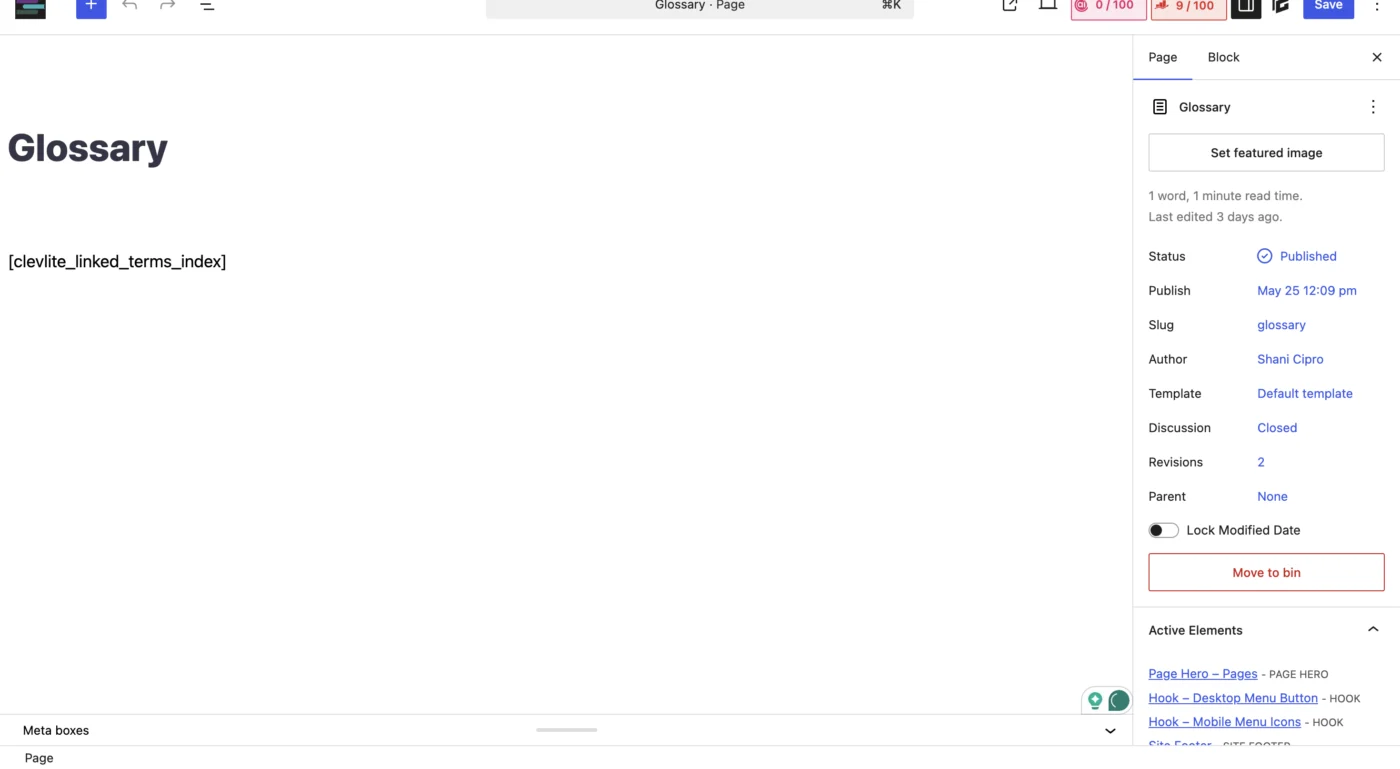
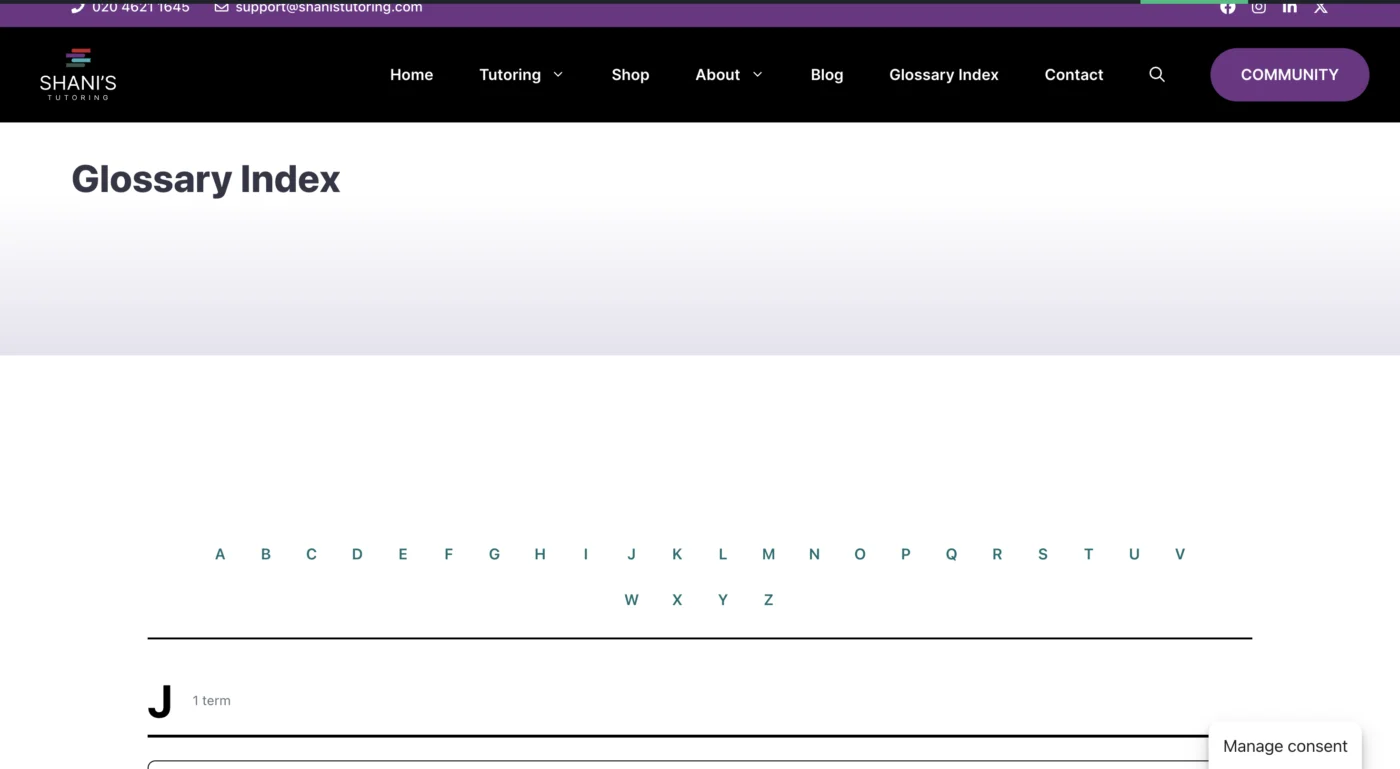
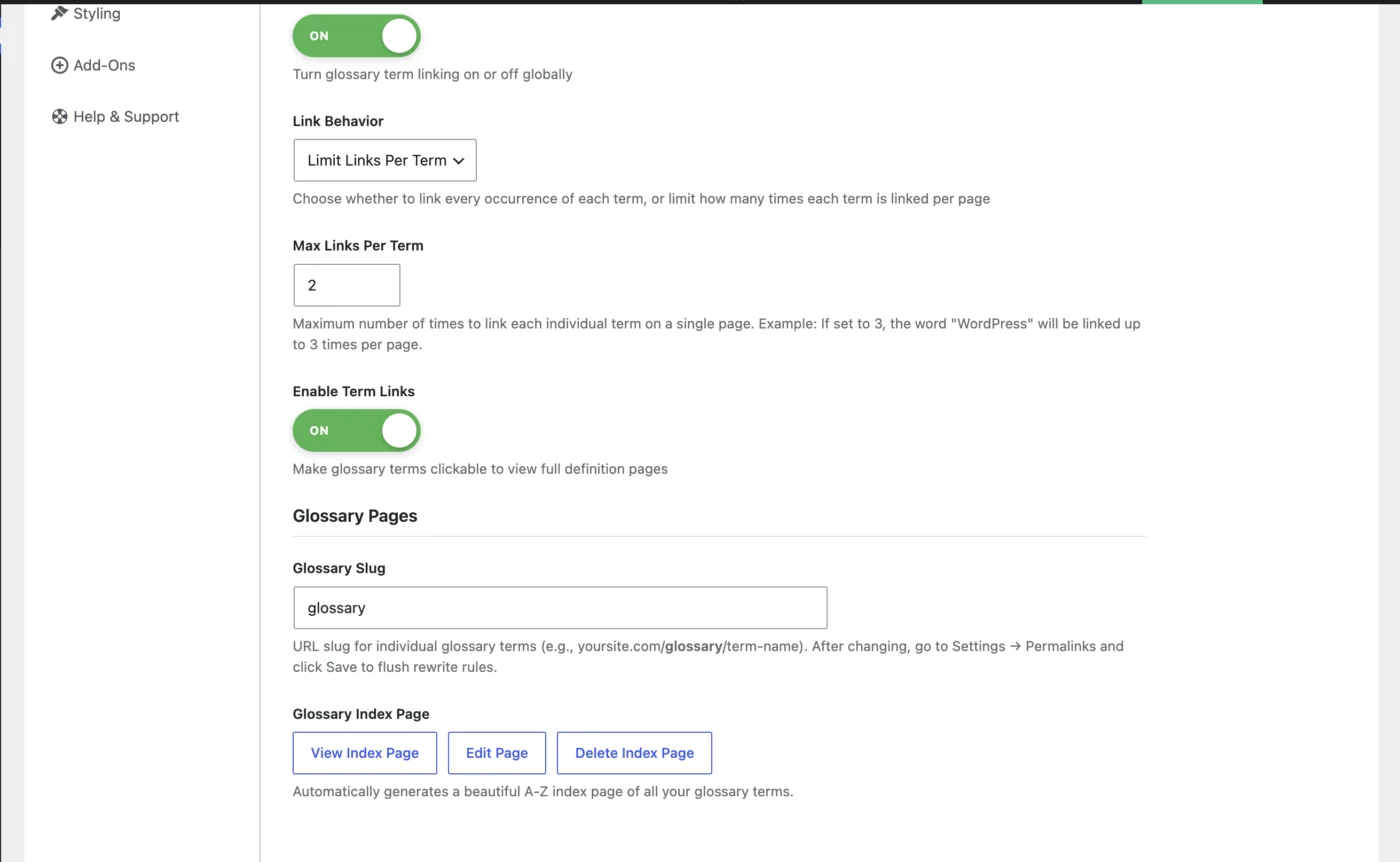
Shani Cipro my apologies, I misread your comment. I thought you were referring to the page slug. I will fix this before I ship the next update.
Ooh! I'm also looking for a way to discount the articles like 'The' or 'A' at the beginning of a term but still keep them in the heading, if that makes sense? So 'The Odyssey' sits under 'O' rather than 'T'
Shani Cipro I will look into this.
Shani Cipro it's been added to the RC for testing. It allows you to set what leading words to ignore such as The, An, A, while maintaining it in the title.
Shani Cipro here's the dev site with it currently enabled: https://snowy-pebble-179685.1wp.site/glossary/ You can view some of the other features that will be released as well.
I should have the navigation fixed. It detects the sticky header if you're using one and then does an offset calculation so it should properly stop.
Shani Cipro I'm planning to push out an update tomorrow. Had a lot of testing to do, some fixes, and found a few minor things I had to adjust.
The Glossary Title and Slug can be set either in the CLT Settings or on the page itself now.
This update is a big one, so I had to do a lot of work before I felt comfortable releasing it. I'm doing a final check before I release and pending no issues, it should be updated tomorrow afternoon (EST my time).
I'm going to hold off on any further updates for now after I release this on, just fixes as they come in, so I can get caught up on Plus and then another plugin I'm working on.