


Hello Jeff, I see that you have made USER HUB and themes for it as well. However I see nothing about it on your community, and the description of its features don't speak too much to me (there are no visuals). Could you make screenshots of what it looks like? It's also hard to imagine what your themes look like. Thank you!

v2.0.1 (September 17, 2026)
– Added: Global posting-author selection for Posts in Spaces, with source-author preservation as the default
– Added: Per-rule “Post as” override to inherit the global setting, preserve the WordPress author, or select another WordPress user
– Changed: Posts in Spaces rules now provide Save, Preview, and Scan actions at the top of each rule
– Changed: Expanded rules and scroll position are preserved after saving, with scans opening directly at the historical results
– Fixed: Author-aware rescans now repair mapped posts in place without creating duplicates
– Fixed: The Portal Settings gear disappearing when the FluentCommunity sidebar was collapsed to icons
– Fixed: Portal Settings link detection for current FluentCommunity markup and portal routes
This is a major release that introduces a completely new Plus administration experience alongside several powerful new publishing, integration, and community-management systems.
What’s new
– New Plus v2 Control Center and dedicated admin workspaces
– New Theme Studio for Menu, Topic, and Badge styling
– New Publishing Rules and historical content backfill
– New per-rule post-content customization
– New Feeds in Spaces for RSS, Atom, and public FluentCommunity sources
– New Discord in Spaces inbound and outbound automation
– New Content Archiving workspace
– New User Hub support for secured Plus Admin Notes
– Destination-specific mappings and extensive duplicate prevention
– Numerous compatibility, security, interface, and reliability fixes
Existing Plus features—including Analytics, Admin Notes, Messaging Controls, Profile Fields, and Download Tracking—remain available inside the reorganized v2 experience.
Before updating, I recommend backing up your site. After installing v2, open the new Plus 4 FCom menu and review your enabled Enhancements, Add-ons, Publishing Rules, and integrations.
View the complete v2.0.0 change log
And the new v2 User Manual

Jeff Brigman I know you're hard at work with the Content for spaces plugin and updating Linked Terms was wondering if Global Search is a possibility? Ross has his suite of Add-ons and I'm not opposed to purchasing his but I'd rather wait for your implementation if it's something planned (or willing to be considered).
My apologies on the site being unavailable. During a recent update of FCom, for whatever reason the plugin was deactivated and I wasn't aware.
I’m getting close to opening up early beta feedback (planning for July 13th) for aOS — AdminOS for WordPress.
aOS is a new WordPress admin experience designed to make managing a site feel more like a modern app instead of the traditional WordPress dashboard. It brings key workflows like content, plugins, themes, updates, activity, notifications, client access, white labeling, and admin settings into a cleaner, more focused interface. aOS is not a theme or skin over the default WordPress dashboard, it’s a modern admin workspace built to streamline and rethink how WordPress management actually works.
This first beta round is not a public launch and not meant to be treated like a finished product. I’m looking for a small group of early testers who are willing to explore the direction, try real workflows, and give honest feedback on usability, clarity, bugs, rough edges, and what would make aOS more useful in day-to-day WordPress work.
Ideal testers are WordPress users, site owners, developers, agency owners, plugin/theme builders, or anyone who spends enough time in wp-admin to know where the friction is.
For this early round, I’m mainly looking for feedback on:
- Does the overall direction make sense?
- Does aOS feel useful compared to the normal WordPress admin?
- What feels confusing, unfinished, or unnecessary?
- What workflows would make this a must-have?
- Are there bugs, layout issues, or compatibility problems?
Again, this is beta feedback only. I’m not looking for polish reviews as if it is a finished commercial release yet. I’m looking for people who can help shape the product before it gets there.
If you are interested in possibly participating in the beta testing, post here.
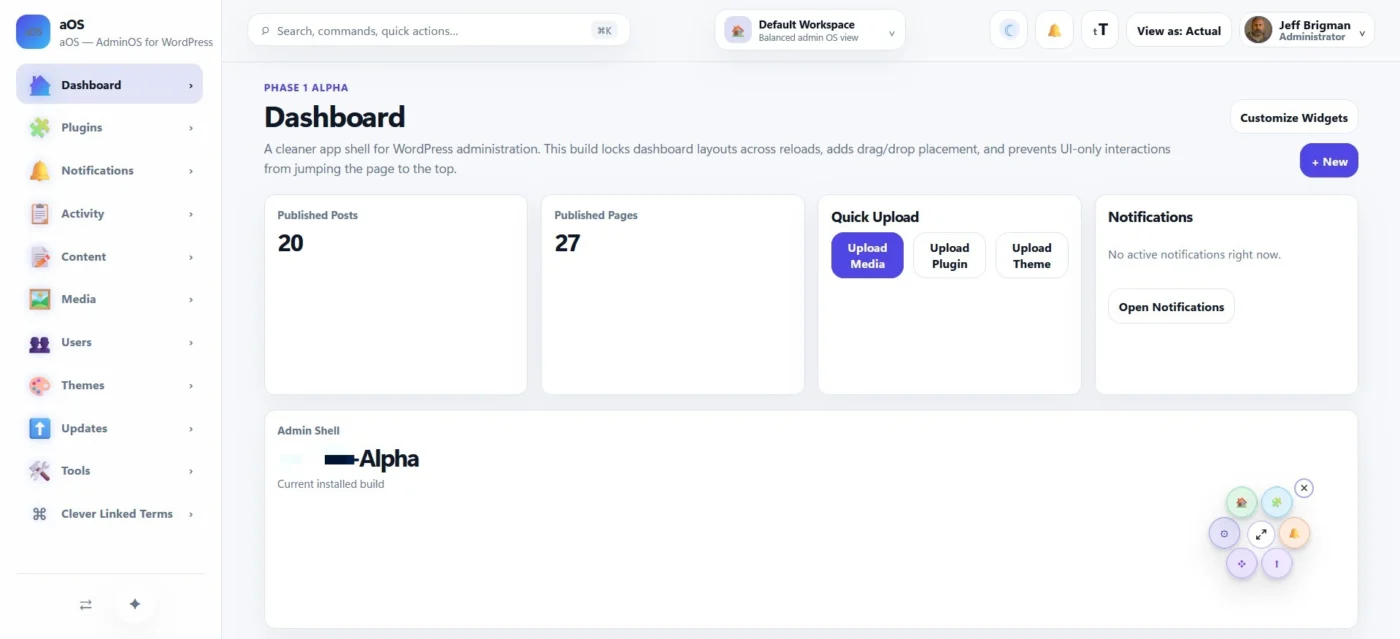
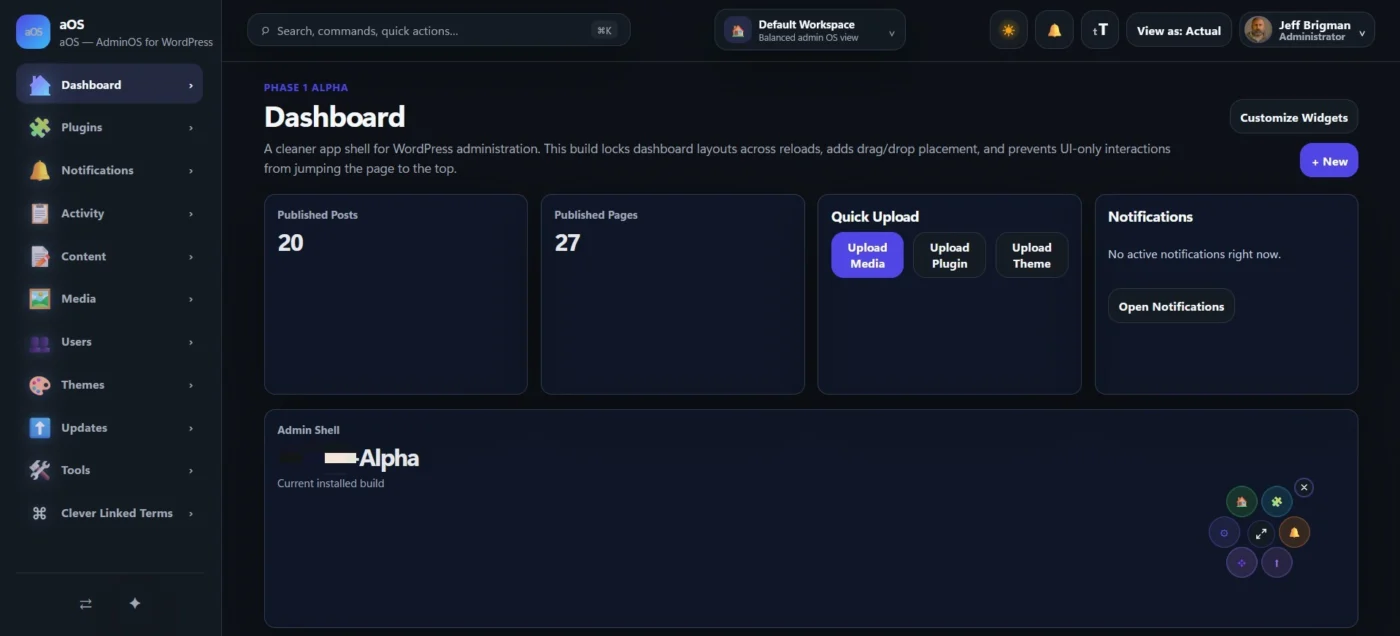

Hi!
I'm currently doing my MA at university and we use Talis to see the books, videos, articles, etc that we need to access for the course! See an example here: MLitt Fantasy Module Reading List
I was wondering if anyone knows how I could replicate a stripped-back version that on FluentCommunity's courses? It would be a great way to leverage affiliate links to make a little extra, especially if you're offering free courses!
It looks a little bit like a roadmap or boards, but it would be one per course and, if that makes sense?
Here are the things I'd love to see in it:
- Name of text
- Affilite link buttons, preferably the option to link to multiple places for different affiliate programmes or people from different countries (e.g. a Bookshop.org link, an Amazon link, etc) and people can make their preferences
- The ability to list resources as required, recommended, supplementary, etc as well as primary, secondary.
- The ability to split the list into sections for weeks, lessons, topics, etc.
I love the checkbox feature that Talis has: being able to have logged-in users have their own individual version of the reading list that they can check things off on or list them as undecided, will read, read, currently reading, purchased, etc and then it saves your progress so you can keep adding to it every time you come on the course! That's not strictly needed, though. It's more of a want.
I also like the notes that Talis provides where you can write a little something about the texts as you read them, but again, it's not a need!
Anyone got any thoughts or know someone who has developed/will develop something like this?
I have a new plugin I will be releasing here for public usage in a few day. I will not be releasing it in their repository because unfortunately once I do, they can freely use/steal it and repackage as their own like they did with ACF (Advanced Custom Fields) or to copy/paste into their own version they have already.
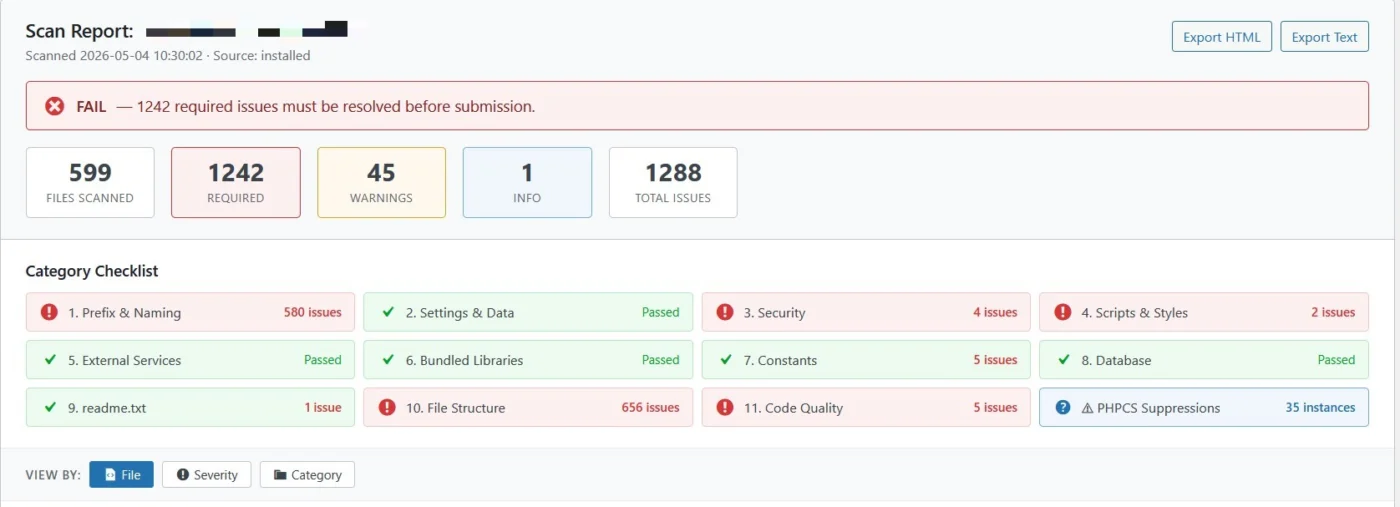
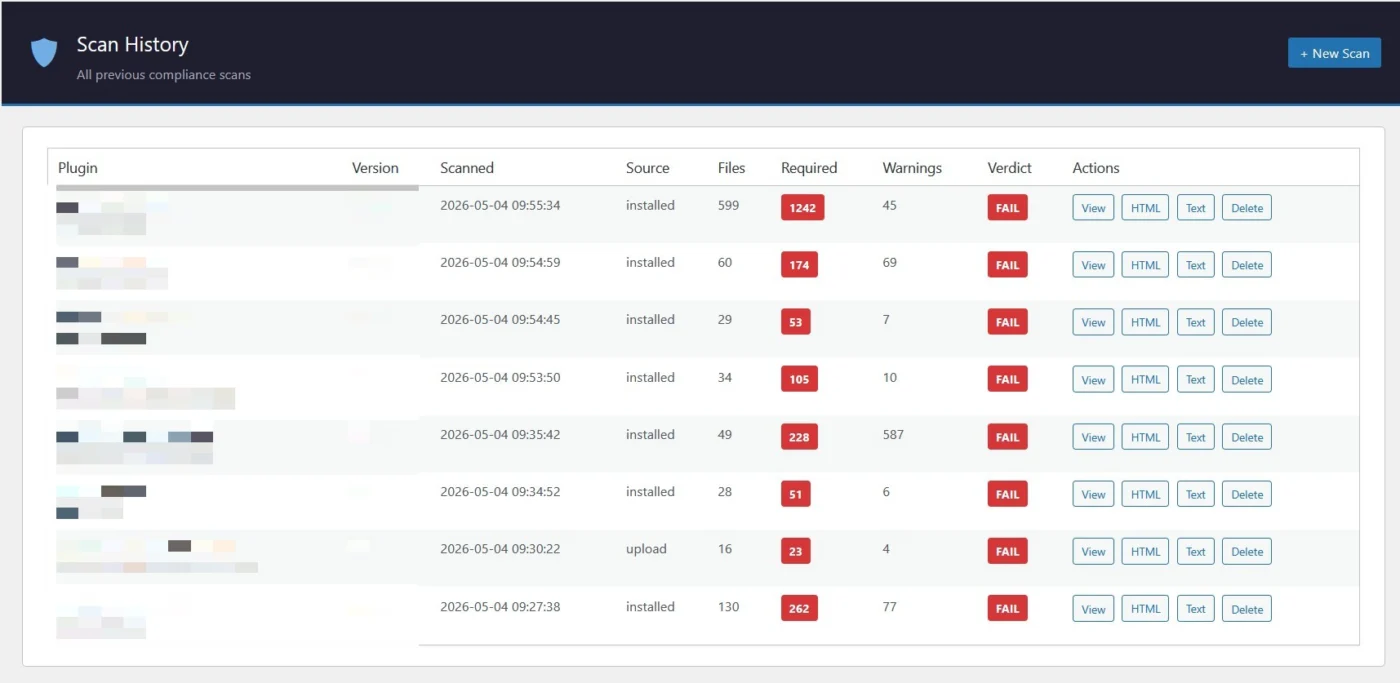
This is spawned by my interactions with Wordpress, the things I missed, the things they missed, and a lot more during the submission process with my Linked Terms plugin. I have been working on this plugin for a few months doing testing and have some to a good point. There's a lot under the hood and A LOT more planned that will allow this plugin to pull from an external json file hosted at github so it's constantly up to date on it various check types libraries and as WP updates their compliance requirements.
This thing is a beast and is for INFORMATIONAL PURPOSES only. It also does checks for instances where coders intentionally wrap code in an a PHPCS:Ignore or other coding bypass methods. Sometimes this is legit ignore or bypass because other safeguards are in place and the scan flag would essentially be a false positive... however other instances are examples of blatant abuse by a coder to intentionally bypass scanners so their code looks good/safe but really isn't.
I'll admit I've been guilty of this as well to get a plugin working for testing but typically I go back to fix them before a production release. When I do have to use an ignore, I add comments explaining why I used it and the safeguards I have in place.
I'm going to do some more tuning, but the results so far are pretty astounding and alarming. I will continue to improve this, but several plugins if not most, have some serious issues that could be exploited and easily fixed.... and yes, this plugin even gives suggestions on how to fix the issues it detects.

The upcoming release, v1.4.4, will include a few minor CSS fixes/tweaks on the Collapse to Icons and Full Collapse Menu's along, additional translatable strings, and two new features that will be 100% free.
Currently with DM's you have an either or option. Either all members can message one to one, or only Admin/Mods can. This feature will bridge that gap and allow both. All members will be able to message and you can block members from initiating a chat with Community Admin/Mods and/or Space Admin/Mods. If the Admin/Mod starts the chat, the member can freely respond until the chat gets deleted and then the process resets.
The other is for the new Group Chat. Currently only Admin/Mods can create them. You will be able to not only allow ALL MEMBERS to create a Group Chat, but also auto assign a Community Admin/Mod (You can select one or more to be auto added), prevent them from removing said Admin/Mod, and Restrict them from initiating a new Group Chat with Admin/Mods with the same DM settings. When they add a restricted member, it will tell them exactly who so they can remove them from the list.
I'm going through some testing now with this and through tomorrow. I plan to release this mid day Saturday.
Just wanted to give you a big THANK YOU for your work on the Plus plugin! Just the Bricks integration alone is very well done. Great job sir.